
Point, segment, ray, line
Pick two points and the figure is created exactly between them. Intersections are marked automatically.
Geometry no longer sits still on paper: when one point moves, everything attached to it moves too.
Start from the basics.
Pick two points and the figure is created exactly between them. Intersections are marked automatically.
Interior angles always add up correctly, and each interior angle gets its own colour and fill.
Draw a segment by typing its length, an angle by its degrees, a triangle by its three sides.
Classic constructions and live measurements.
Clean figures with adjustable, limited-length lines.
Every circle topic is draggable.
Unit label is cm, mm, m or in; the measure on the page is kept.
Reflect, translate or enlarge a figure.
Move the mirror line and the image follows.
Choose the vector ends and the figure slides by that amount.
Pick a centre point, type the ratio; a negative ratio enlarges to the opposite side.
Type the function and the axes and curve appear on the page instantly. Change the equation and the curve is redrawn.
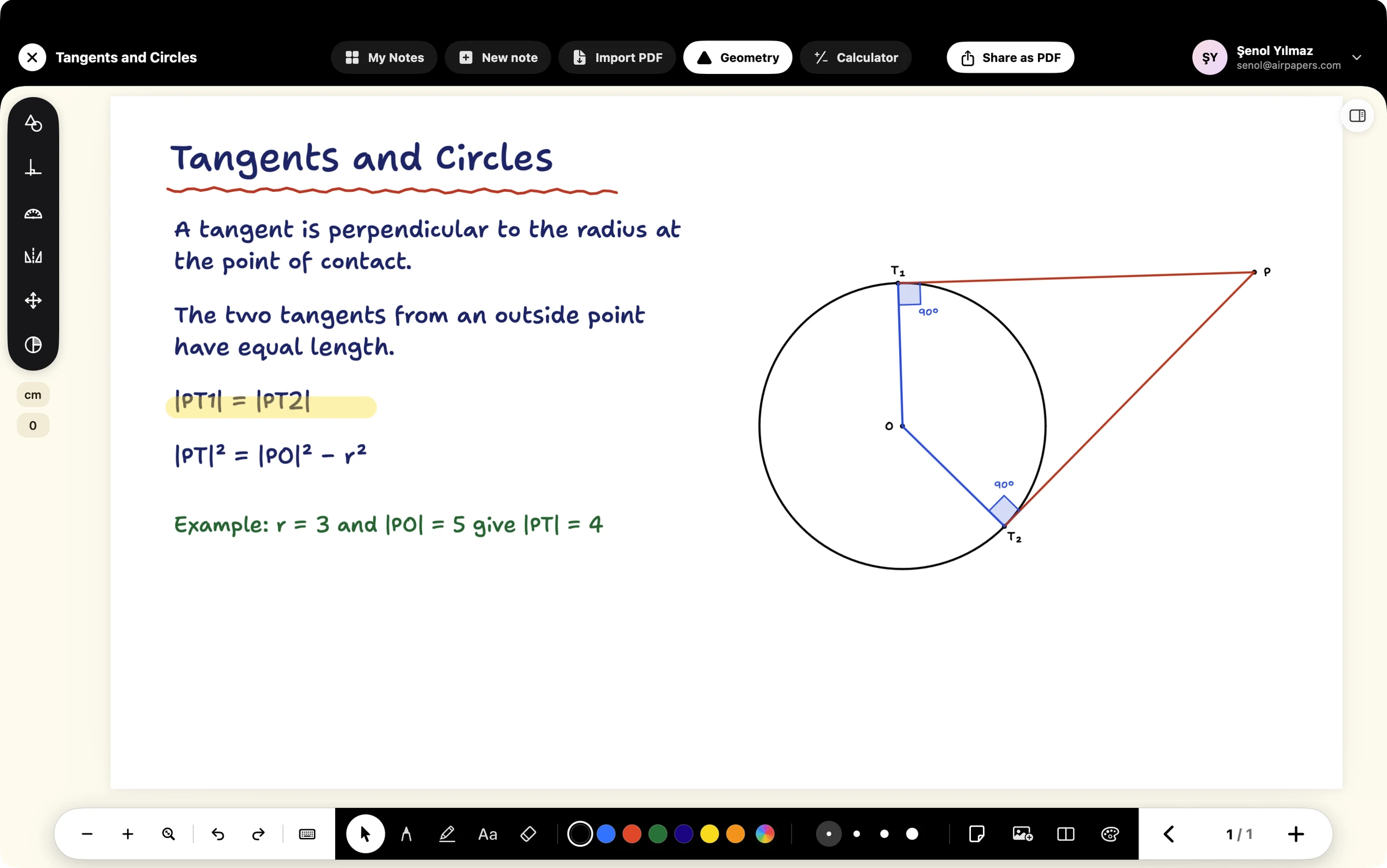
Every circle topic is draggable.
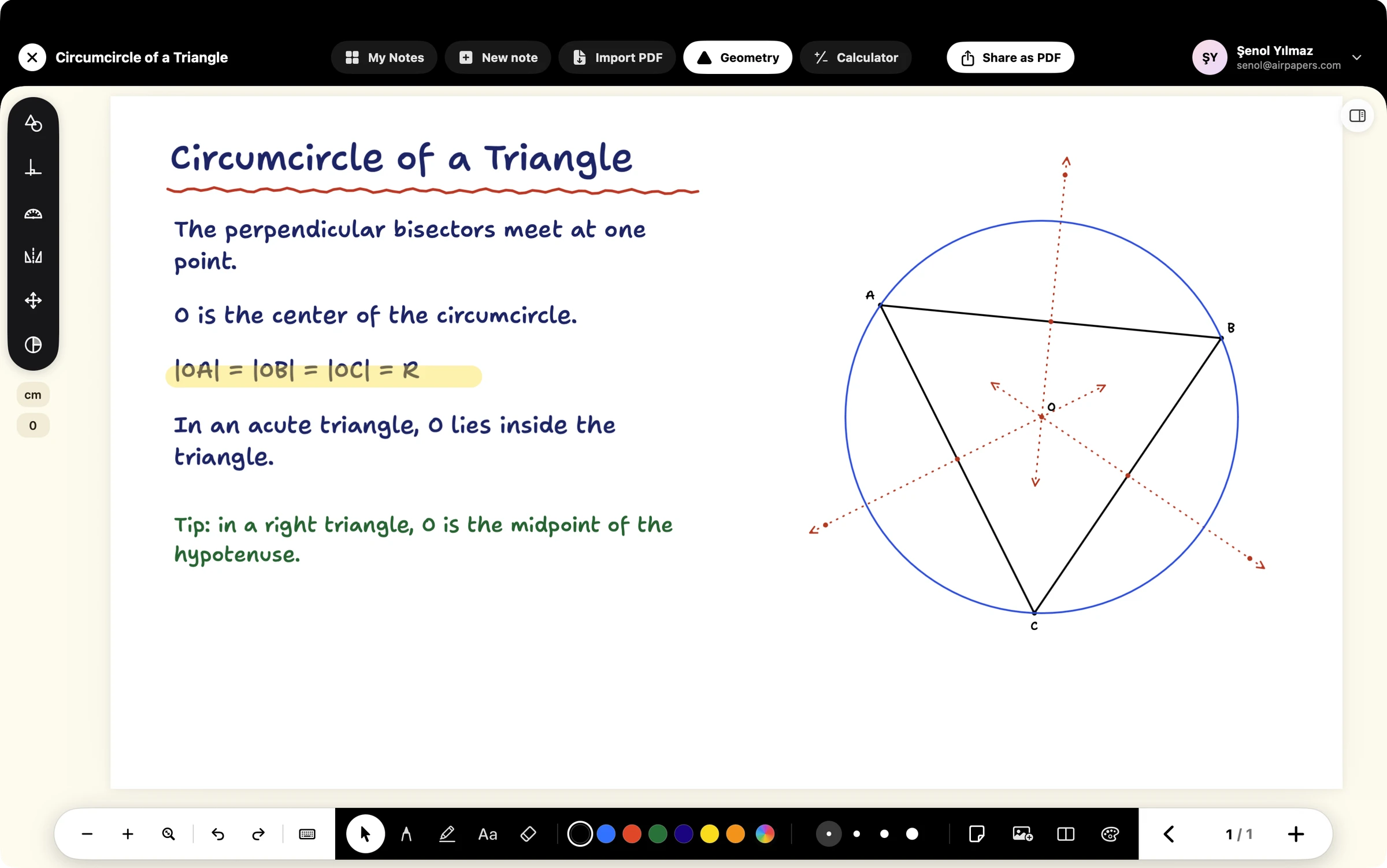
Clean figures with adjustable, limited-length lines.

Designed for Mac and iPad. Your notes stay on your device.